Stop Hand-Writing Labels During Your Live Shows — First 30 Days Free
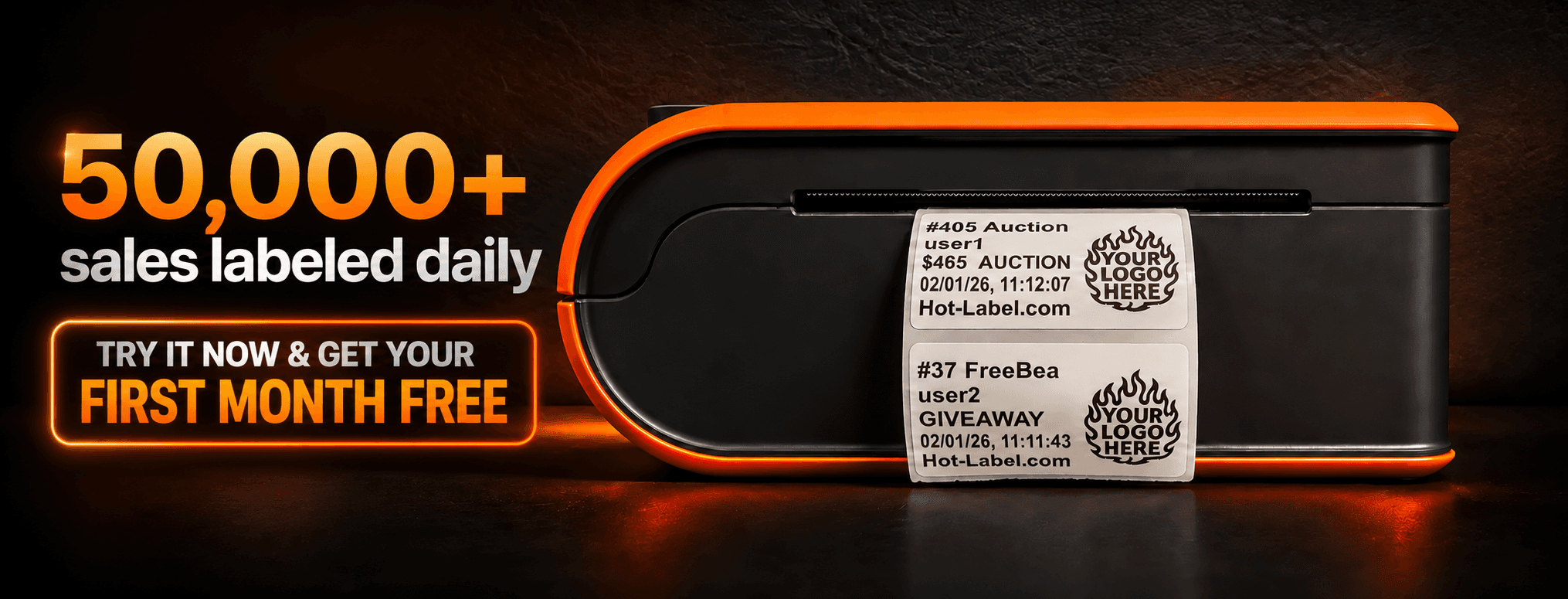
Hot-Label automatically prints sales labels the moment a sale happens on Whatnot, eBay Live, TikTok Shop LIVE, Palmstreet, or Poshmark.
First 30 days free, then your plan renews. Cancel anytime.
Not ready to subscribe? Try 300 labels free — no card →
Trusted by live sellers on
Whatnot • eBay Live • TikTok Shop LIVE • Palmstreet • Poshmark
Works with Zebra, Dymo, Arkscan & more thermal printers
How it works
Three steps. That's it.
1.Install the Chrome extension
Add Hot-Label from the Chrome Web Store. Takes under a minute.
2.Connect your thermal printer
Works with Zebra, Dymo, Arkscan, and more — on Windows and Mac.
3.Labels print when sales happen
That's it. You sell, we print. Every sale gets a label automatically.
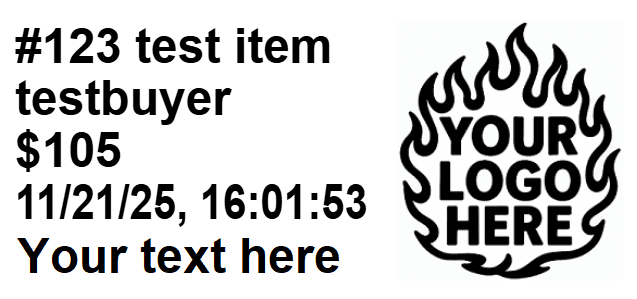
Print preview in Hot-Label
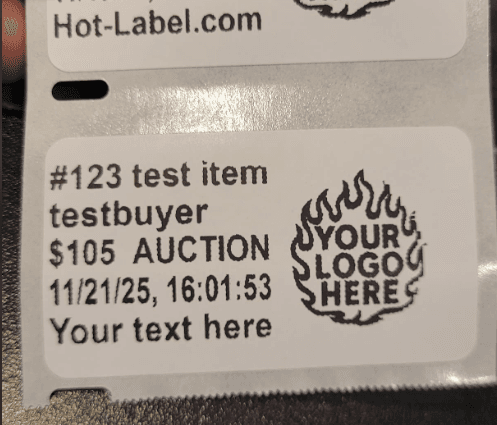
Real labels, printed your way
The problem
The problem Hot-Label solves
During fast live shows, sellers often:
- ✕Pause auctions to hand-write labels or print labels
- ✕Mis-label packages and ship to the wrong buyers
- ✕Fall behind on orders during rapid-fire sales
Hot-Label removes that entire problem.
Sell faster. Label correctly. Never fall behind.
Why Hot-Label
Why sellers love Hot-Label
Instant printing
Labels fire the second a sale happens. Zero lag, zero clicks.
Built for live shows
Handles auctions, BINs, giveaways, and rapid-fire sales without breaking a sweat.
Works with your printer
Zebra, Dymo, Arkscan — on Windows and Mac. Most thermal printers just work.
Smart workflow options
Fast mode or wait-for-payment mode. Auto-peel support. You choose how it runs.
See it in action
Watch it work
A sale happens on your livestream. The label prints instantly. No clicks, no delays.
Sale happens → label prints instantly
50,000+
labels printed every day
5-star
Chrome Web Store rating
< 60s
setup time to first label
Testimonials
What sellers are saying
“Saved my show. I used to pause auctions just to write names on sticky notes.”
— Whatnot seller
“Setup took 5 minutes. Now I don't think about labels at all during my streams.”
— eBay Live seller
“We used to mislabel 2–3 orders per show. That's completely gone now.”
— High-volume Whatnot seller
“Finally someone supports TikTok Shop LIVE! Labels print right when the order comes in.”
— TikTok Shop LIVE seller
“Runs my Poshmark shows hands-free — every sale prints a label the second it closes.”
— Poshmark seller
Refer & save
Every subscriber has a code that pays.
Share your Hot-Label code. Your friend's first 30 days are free — and you get $45 off your next bill. Every referral, every time.
That's a full month of Starter, on us.
Compatibility
Will it work with my setup?
Hot-Label works with all thermal printers on both Windows and Mac, including Arkscan, Zebra, Jadens, Dymo, and more. View system requirements for details on printers, platforms, and how the system works.
Your first 30 days are on us.
Automate every label this month — free. Keep it only if it saves your shows.
First 30 days free, then your plan renews. Cancel anytime. — or try 300 labels free, no card →